
Schools, universities, shops. And their websites.
School and university systems, supermarket tills, websites and hosting. Set up with your records and supported after.




One system for the whole place, not a pile of spreadsheets.
Every office works on the same records. The bursar, the gate, the teacher and the owner each see their own part, and nobody types the same name twice.
Primary & Secondary School Management System
The whole school, from the first day of admission to the last report card of P.7, S.4 or S.6.
- Admissions and the class lists
- The bursar: fees, receipts, bursaries
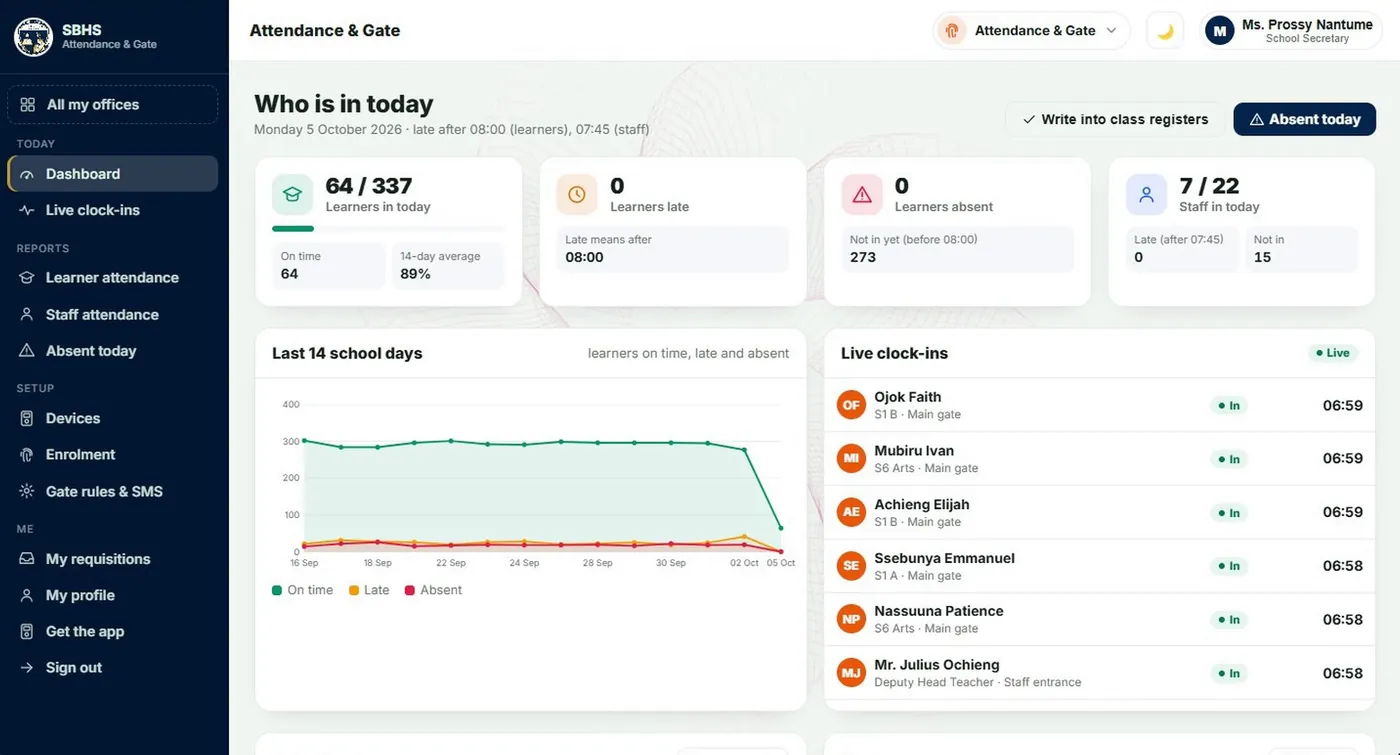
- The gate: fingerprint clock-in, SMS home
- Marks to PLE, UCE and UACE
- Report cards for a whole stream at once
- Stores, library and requisitions
- The head teacher's view
- A parents' portal on the phone
- Holiday work, set and marked online
- Documents signed and stamped by the system
The Bursar's Office
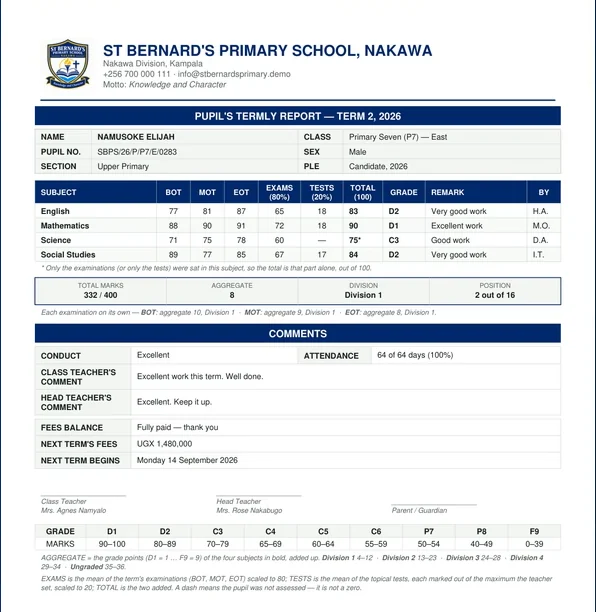
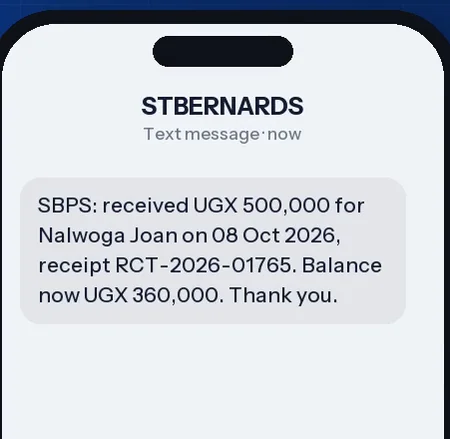
Fees per term, mobile money and bank payments, receipts and bursaries, with every shilling accounted for. The parent gets a text the moment money lands.
- Fees structure and billing by class, stream and section
- Payment codes for mobile money and the bank
- Defaulters, daily cash, payroll and the books
Report cards and analysis
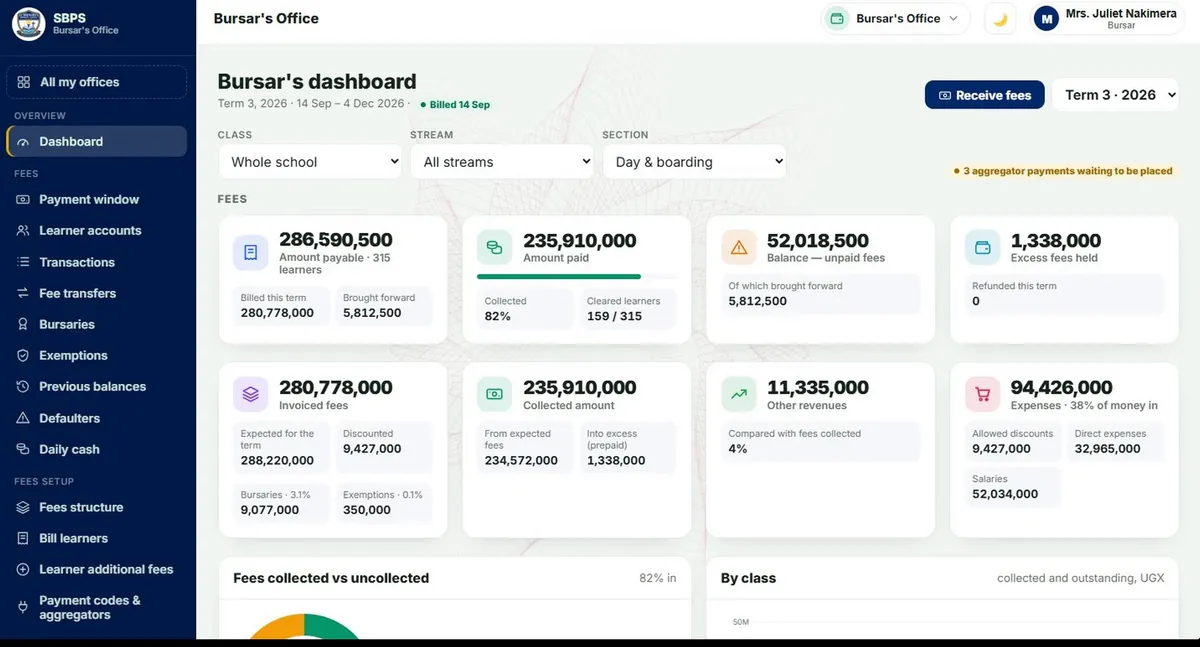
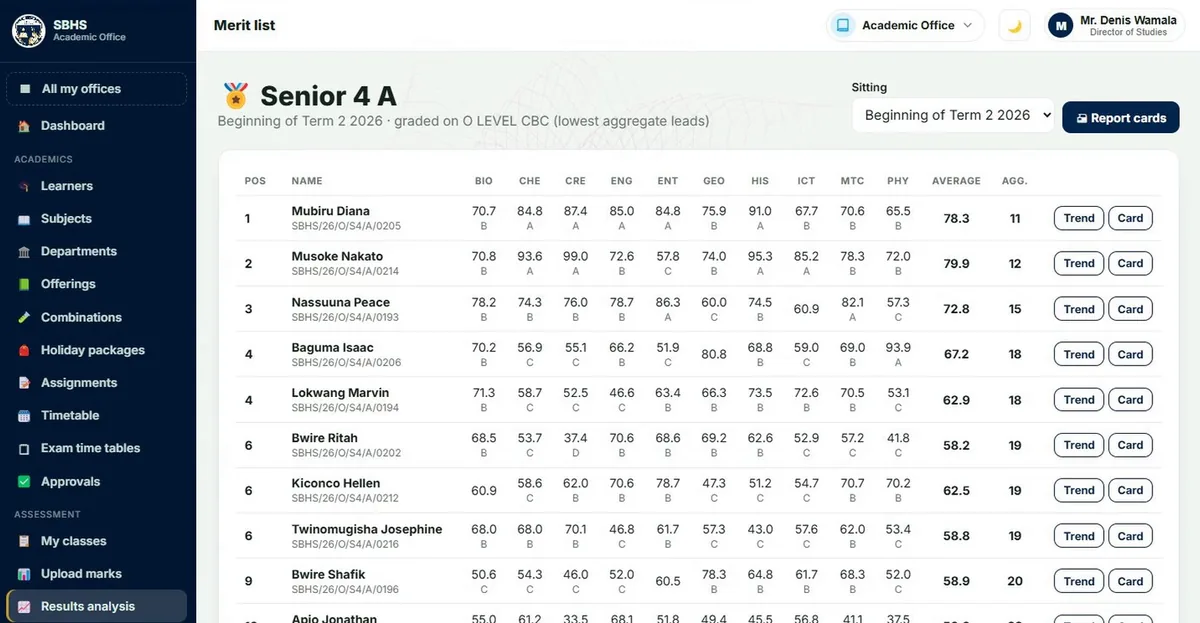
Marks go in once. Merit lists, subject analysis, trends and a whole stream's report cards come out, worked out the way UNEB does it.
- BOT, MOT, EOT and topical tests
- Aggregates, divisions, positions and promotion
- Report summaries to parents by SMS
Need less than the whole school? Take the Bursar's Office alone, or report cards and analysis alone.
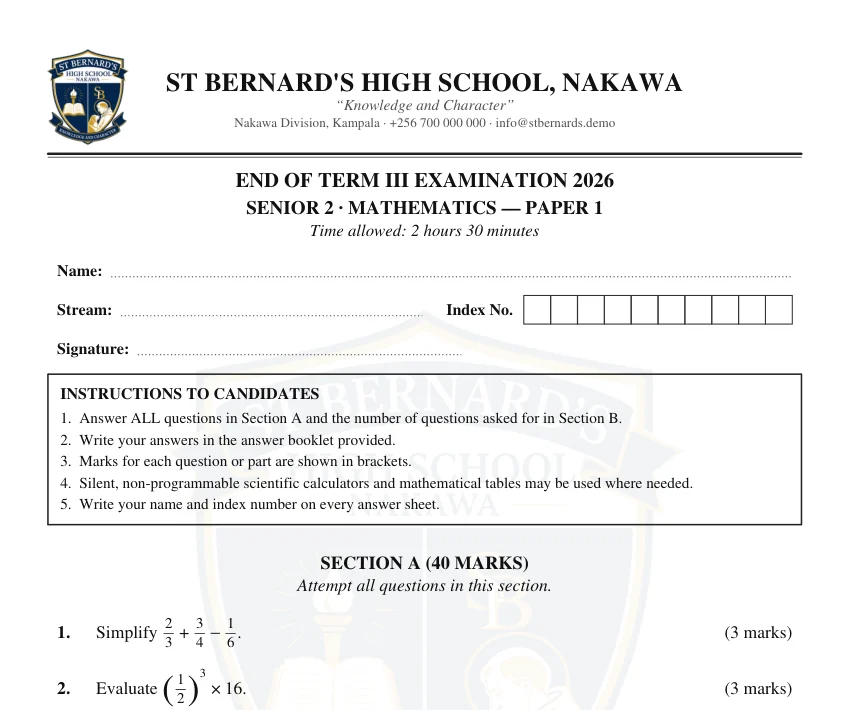
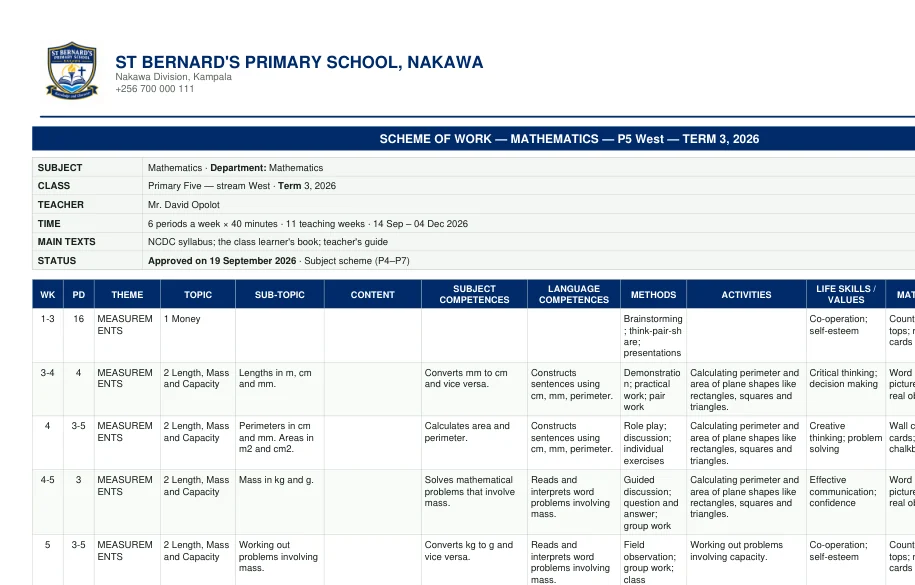
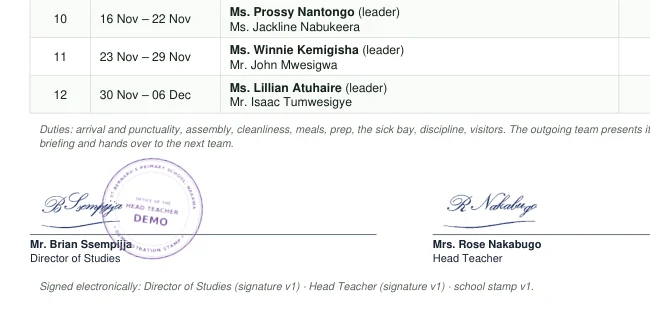
The exams desk, lesson plans and the duty roster
Four desks that used to live on paper. They are in the school system now, and you can open them in the demos.
- Signatures and the school stamp. Signed once on screen, then printed on report cards, receipts, rosters and transcripts.
- The Exams Secretary's desk. Teachers hand in AOI, BOT, MOT and EOT papers. The secretary types them on the school's headed paper and the DOS approves.
- Schemes of work and lesson plans. Drafted from the NCDC syllabus for the teacher to finish, with what has been taught tracked week by week.
- Teachers on duty. The term's roster, the weekly duty report, and the handover at the Monday briefing.
University Management System
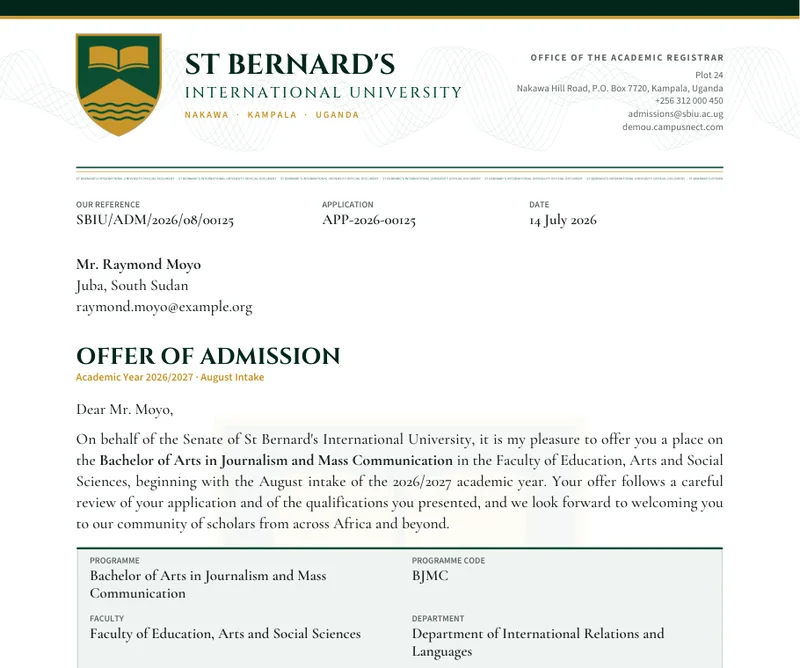
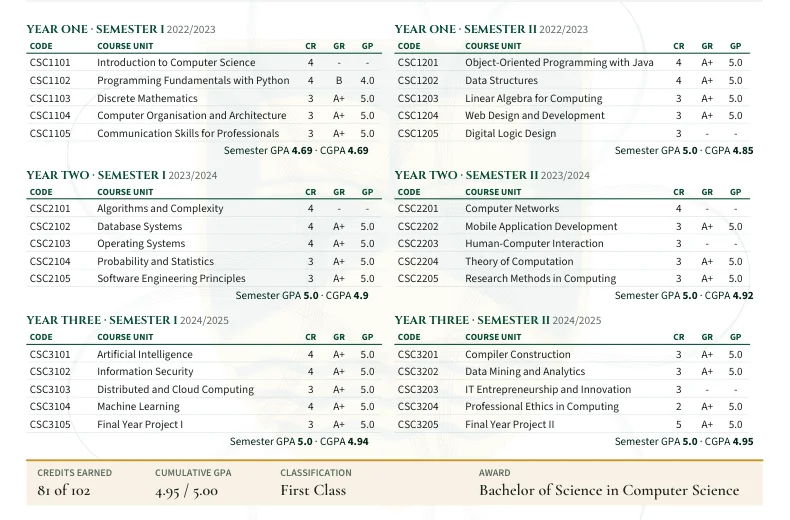
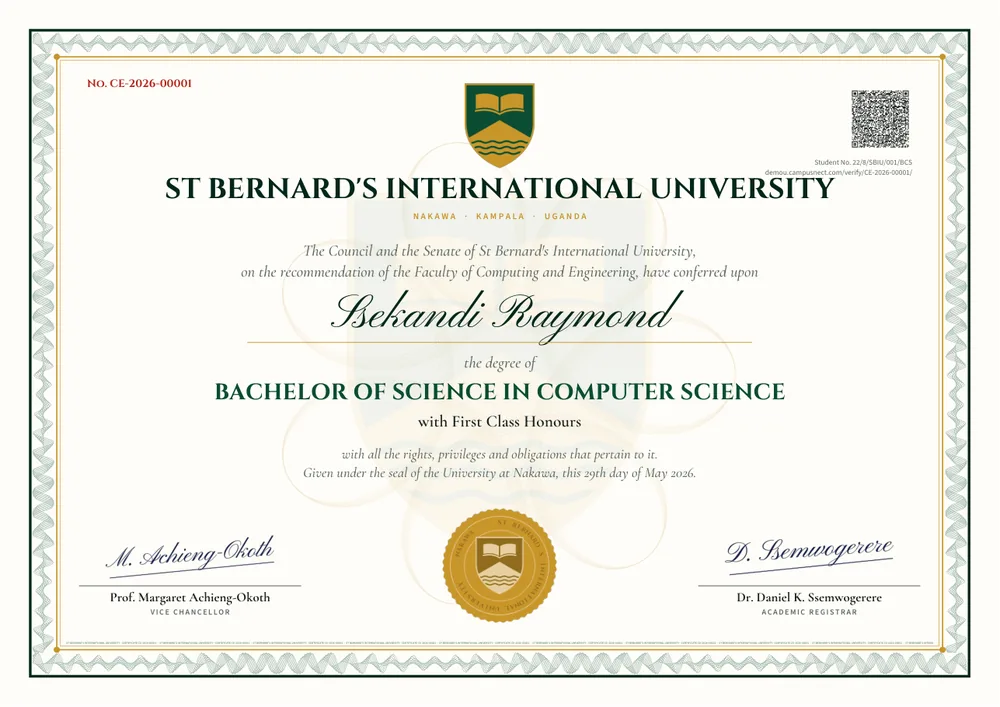
Admissions to graduation: registration, fees, hostels, results through the boards, ODeL, HR and payroll. Transcripts and certificates carry a QR code anyone can check.
- Online applications and offer letters
- Serial-numbered transcripts and certificates
- Study centres on the same system as the main campus
Supermarket & retail system
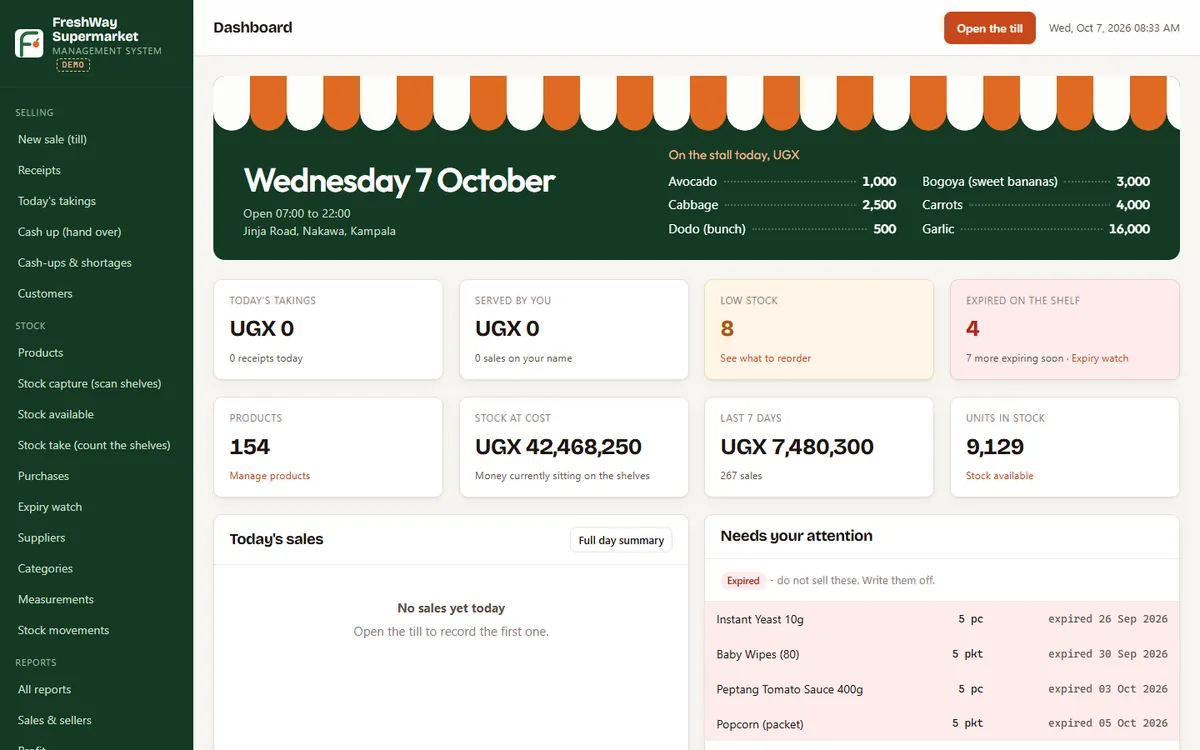
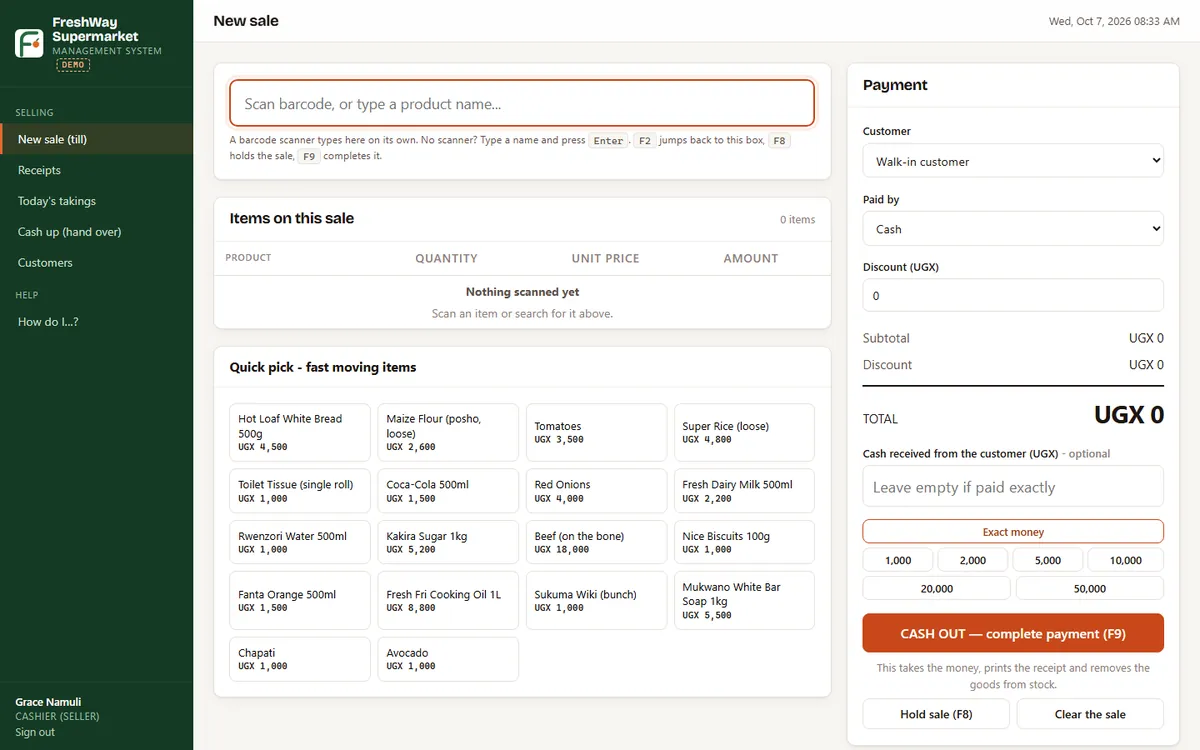
The till with barcode scanning, stock with expiry dates, deliveries, cash-ups and the owner's reports. Works offline in the shop, or online when you want it.
- A till a cashier learns in a morning
- Expiry watch, low stock and supplier deliveries
- Cash-ups, shortages and the owner's figures on the phone
Holiday work, set and marked online.
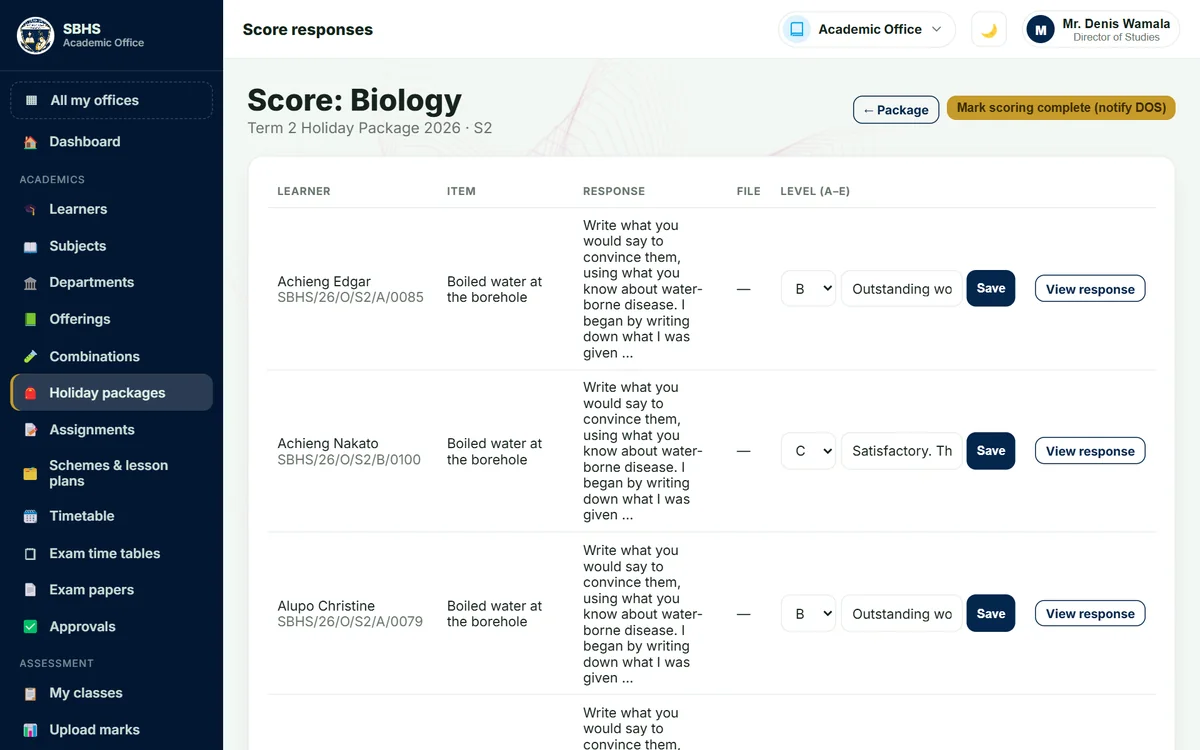
No more printed holiday books. The school puts the work online, learners answer it at home, and teachers mark it before the term begins.
- Teachers set itEach subject teacher sets items: a real-life situation and a task. The head of department and the DOS approve them first.
- Learners answer at homeTyped in, or a photo of the work, from the learner's portal on a phone. One package per class, with a hand-in date.
- Marked A to EThe teacher gives each answer a level, from A for Exceptional to E for Elementary, and a comment the learner reads.
- The DOS sees progressWhich subjects are set, which are marked, and who has handed in. The level can print on the report card.
- AExceptional
- BOutstanding
- CSatisfactory
- DBasic
- EElementary
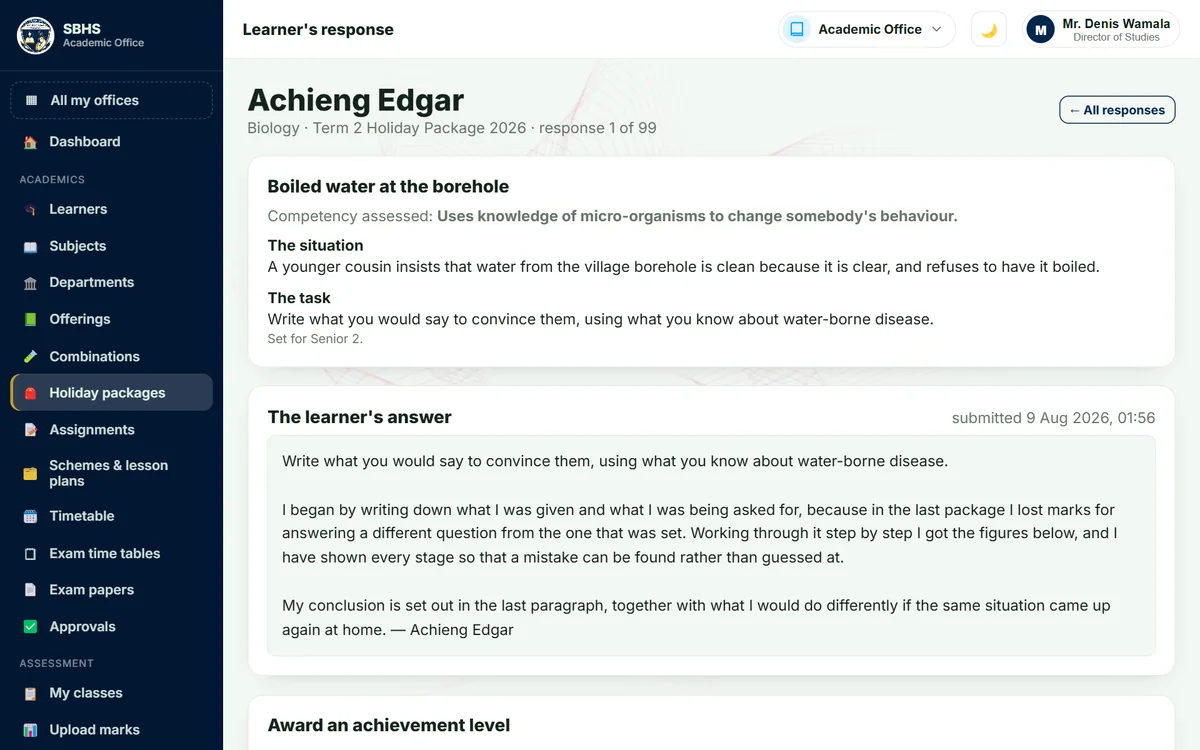
Teachers mark on the screen, not in a pile of books.
The learner's answer opens under the task that was set. The teacher reads it, gives a level or a score and a comment, and moves to the next learner. Nothing is carried home to mark.
- Holiday work and assignments, marked in the browser
- The learner sees the mark and the comment on their portal
- The DOS is told the moment a subject is fully marked
One card, every gate.
The system prints each learner's ID card in the school's own crest and colours. It is the gate pass, the library card and the exam-room pass.
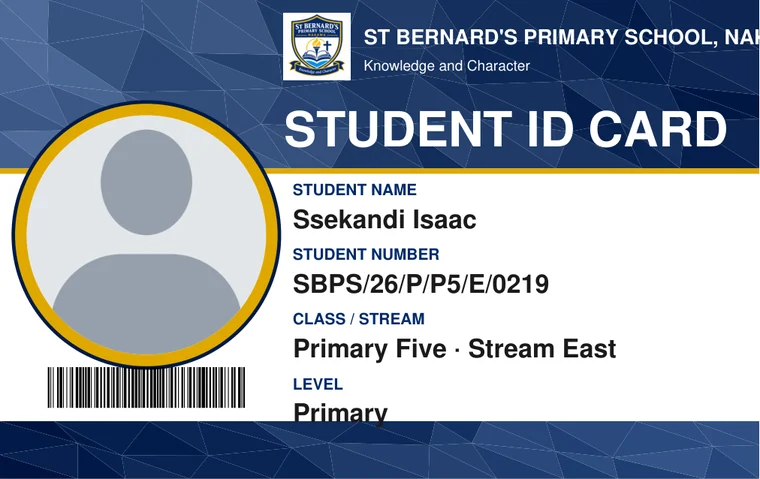
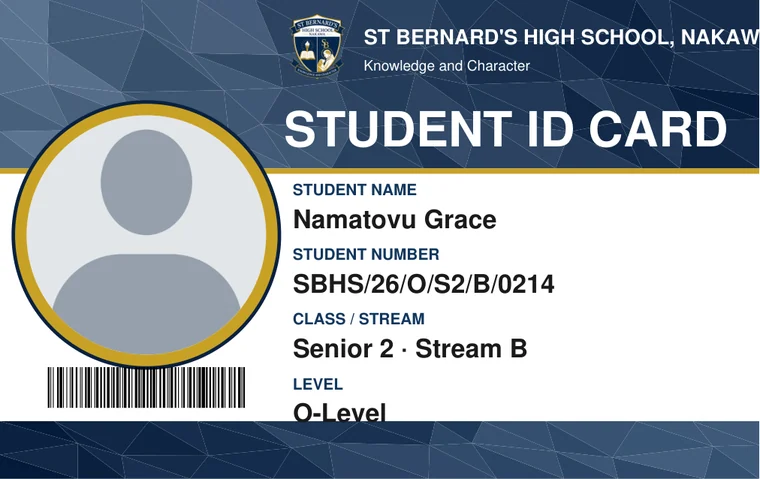
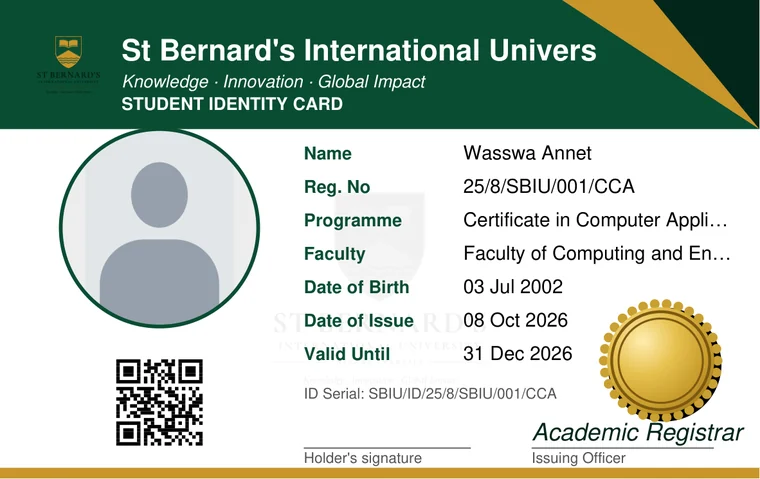
Demo cards. A silhouette stands where the learner's photo is printed.
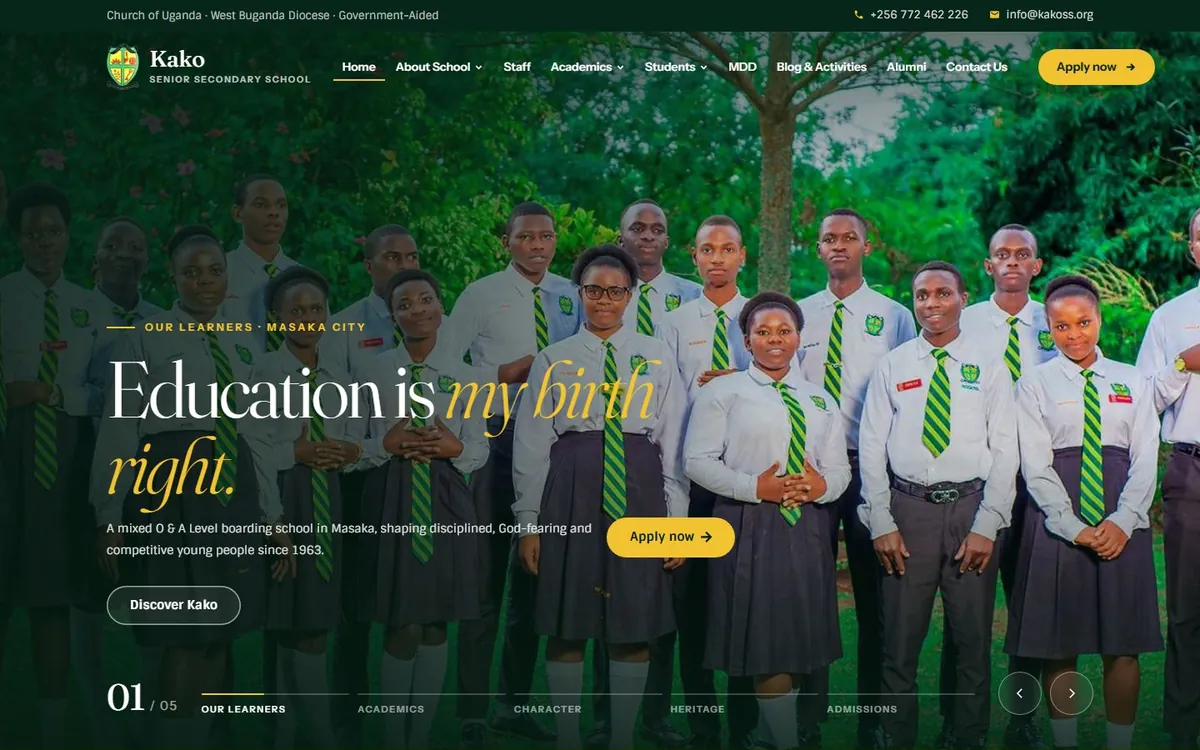
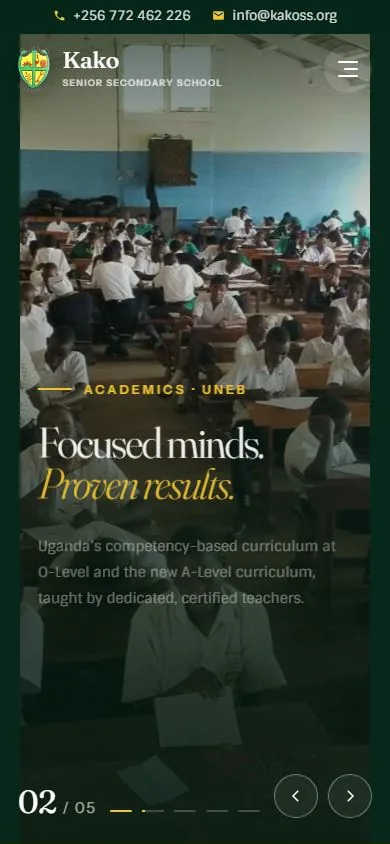
A website, built and kept online.
We design it, write it with you, put it on your own address and keep it running.
- Online marketplaceMany sellers, a cart, orders and payments. A shop app comes with it.
- Business websiteYour products or services, and a way for customers to order.
- NGO and CBO websiteYour projects, stories, news, gallery and a place to donate.
- School websiteHistory, admissions, news and alumni. It installs on a phone like an app.
Hosting and the domain are renewed once a year, and we keep the site up.
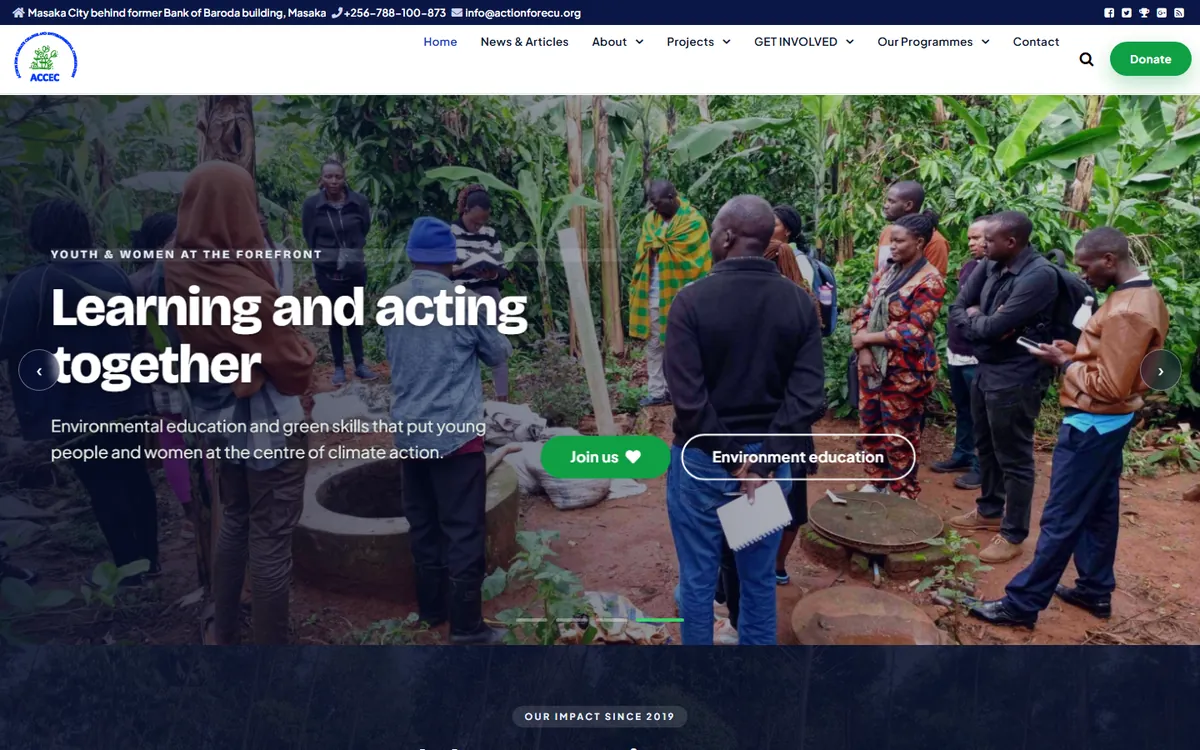
For a community organisation, the same care.
Action for Environmental Conservation in Masaka tells its projects and news on actionforecu.org, a site we built and host.
And the pieces that keep it all running.
- Hosting and domainsYour system or website on a fast server, renewed yearly.
- Bulk SMSBuilt into the systems: fees receipts, arrivals at the gate, report summaries.
- Online fee paymentsParents pay by mobile money or card at pay.campusnect.com.
- Mobile appsThe school system already installs on a phone. Custom apps on request.Coming soon
- Custom workSomething we have not listed? Tell us what it must do.
Open one now. Every name in it is made up.
Four complete systems, loaded with demo pupils, staff, fees and stock. Look around before you ever speak to us.
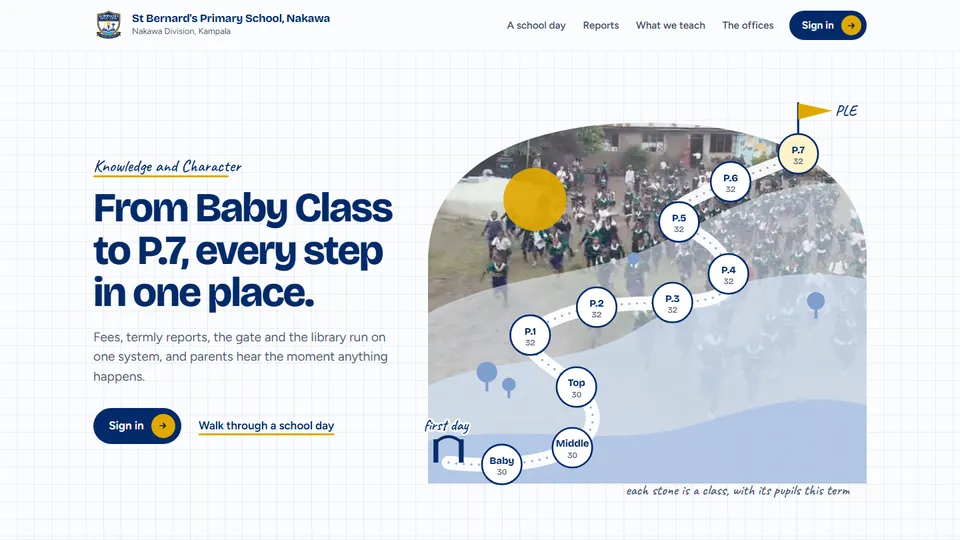
St Bernard's Primary School
Baby Class to P.7: fees, the gate, termly reports worked out the PLE way, and the parents' portal.
demop.campusnect.com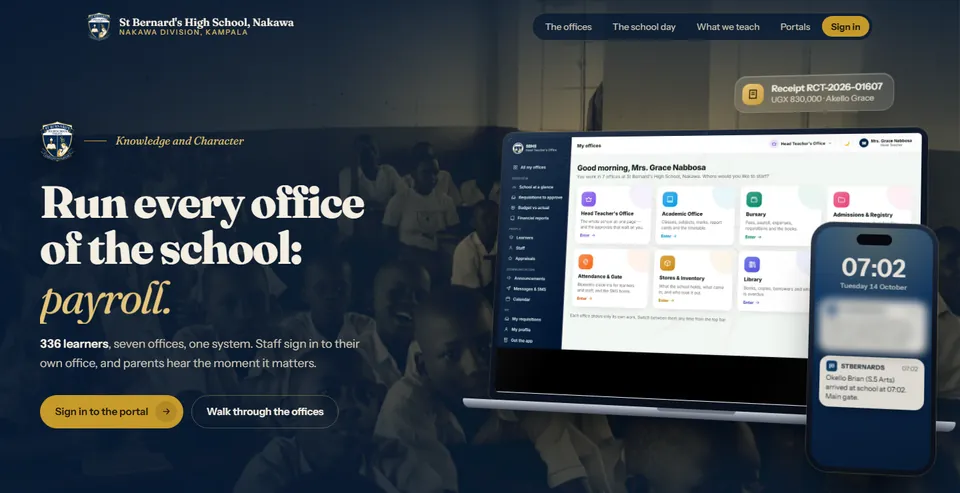
St Bernard's High School
S.1 to S.6: every office of a secondary school, UCE and UACE report cards, payroll and the books.
demos.campusnect.com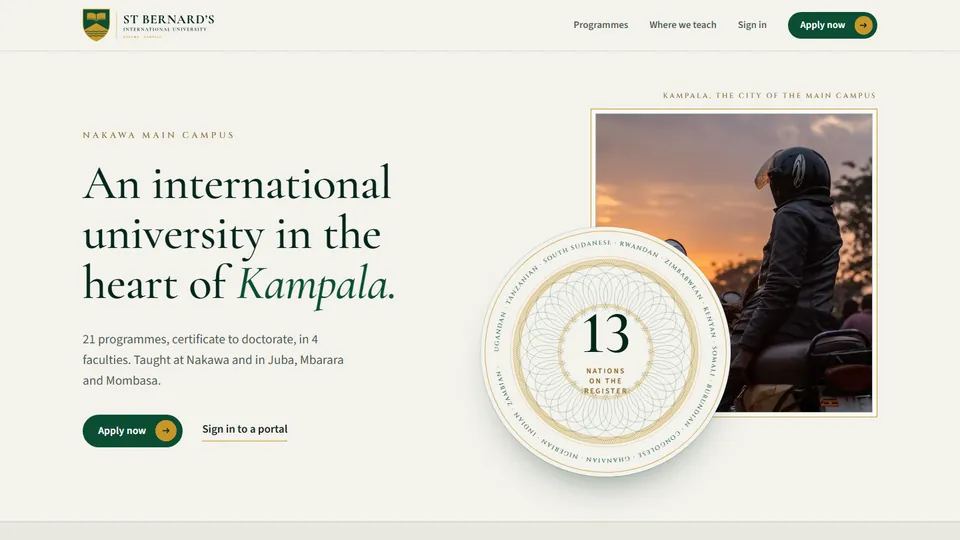
St Bernard's International University
Apply, register, pay, sit exams, study online and graduate, with transcripts you can verify.
demou.campusnect.com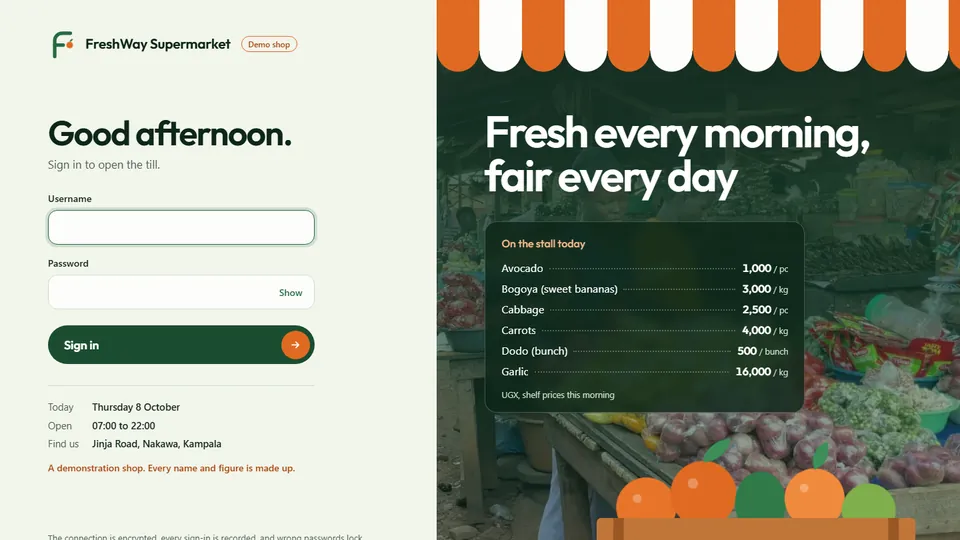
FreshWay Supermarket
The till, stock and expiry dates, deliveries, cash-ups and the owner's reports.
supermarket.campusnect.comWant to go inside as a bursar, a teacher or a cashier? Ask for a quote and we send you the demo sign-ins for each role.
How working with us goes.
Try
Open a demo, or we walk you through it on a call or at your office.
Set up
We bring in your learners, staff, fees and stock from the spreadsheets you already keep.
Train
Each office learns its own screens: the bursar, the teachers, the cashiers, the gate.
Support
After you go live we stay on WhatsApp, phone and email, and keep the system running.
Sell CampusNect and earn on every sale.
Know a head teacher, a bursar, a shop owner or an NGO that needs this? Bring them to us. You earn a commission on every sale you make.
- A commission on every salePaid out from your Agents Bank account.
- Training filmsEvery system explained, chapter by chapter, so you can show it yourself.
- A price guideWhat to quote for each service, in one place.
- Your own clients and leadsTrack who you brought and what you have earned.
Ask for a quote.
Tell us what you run and roughly how big it is: how many learners, how many tills, or what the website must do. We reply with a figure, not a brochure.
Visit our Kampala officeMarvel Mall, Second Floor, Room VB 25
Ndeeba, opposite Dumiya Mosque
Kampala, Uganda
Head office in Bogotá, Colombia.